 OmniGame
OmniGame
OmniGame
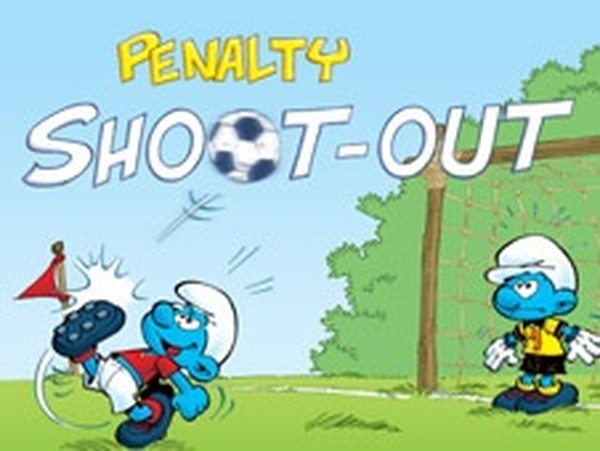
Smurfs Penalty Kick Soccer Game offers a delightful mix of soccer action and cartoon charm. The simple tap controls are easy to learn, and the three difficulty levels provide a good challenge for both kids and adults. The alternating striker and goalkeeper roles keep gameplay fresh, and the non-violent theme ensures a safe experience. Perfect for quick play sessions.
Smurfs Penalty Kick Soccer Game brings the charm of the Smurfs to a classic penalty shootout format. This non-violent, family-friendly game lets you take turns as a striker and a goalkeeper. As a striker, you aim to score goals by shooting the ball past the opponent goalkeeper. As a goalkeeper, you defend shots from the computer. The game offers three difficulty levels: easy, medium, and hard, making it suitable for all ages and skill levels. It is designed to be a safe and enjoyable way to practice soccer skills without any intense or violent elements.
To play, start as a striker. Tap on the gate where you want to shoot, but only tap when the power gauge is in the green zone for enough power. Shoot the ball past the goalkeeper and into the net to score. After five attempts as a striker, switch to goalkeeper. When a target appears, click on it to make it turn green and jump in that direction to defend. Tap targets before they disappear to block shots. You get five tries to shoot and five to defend. Score more goals than the computer to win. Choose from easy, medium, or hard levels for varied challenges.
Penalty games improve accuracy. Goalkeeper games improve reaction times. Soccer games online improve coordination. The game offers three difficulty levels for progressive challenge. Simple tap controls make it easy for anyone to play. Family-friendly Smurfs theme ensures a safe experience for all ages.
Practice timing your shots when the power gauge is in the green zone for maximum power. As a goalkeeper, focus on quickly tapping the targets that appear to block shots. Try playing on easy difficulty first to learn the mechanics, then gradually increase to medium and hard. Consistent practice will improve both your aim and reflexes.





Comments
Sign in to comment
You must be logged in before posting a review or rating.
No account? Create one
No comments yet. Be the first to comment!